
Editable tag names in blocks, disable automatic WordPress block classes and more.
Release notesRelease notesRelease notesRelease notes2023-09-14
Pinegrow Theme Converter 2.1, 2.11 and 2.12, September 14, 2023
Note, Theme Converter is suitable for projects exported from builders such as Webflow. If you want to also edit HTML and CSS use Pinegrow Web Editor instead.
Update 2.12
This update has a couple of WordPress related bug fixes and improvements:
- This update fixed a bug that was introduced by a bug fix in 7.71, related to incorrectly exporting empty loop elements (shown if there are no posts found). In addition, the text inside the empty loop element is now translated.
- Fixed incorrect render template paths for ACF blocks.
- The Theme / Plugin Settings option to enable loading block assets only when blocks are used on the page is included as well.
Update 2.11
This update fixes a bug with theme export.
Download Theme Converter 2.12
Install Theme Converter on Mac, Windows or Linux.
Pinegrow for Mac (Intel) Antivírus checkedMac: 024a04091b7956688cf804986b4292a74a050093
Pinegrow for Mac (M1 / M2) Antivírus checkedMac: 47319aaecadb6a23073f4bfb5f988fa7f9f9eb9b
Pinegrow for Windows 64 (Installer) Antivírus checkedWindows: 45ba7ee2f0968e751f0a0b4f1aca121ebed5f5a5
Pinegrow for Linux (Zip, 64bit) Antivírus checked Linux: 00b9499924177b7a464edc09ff50765d09e61d0d
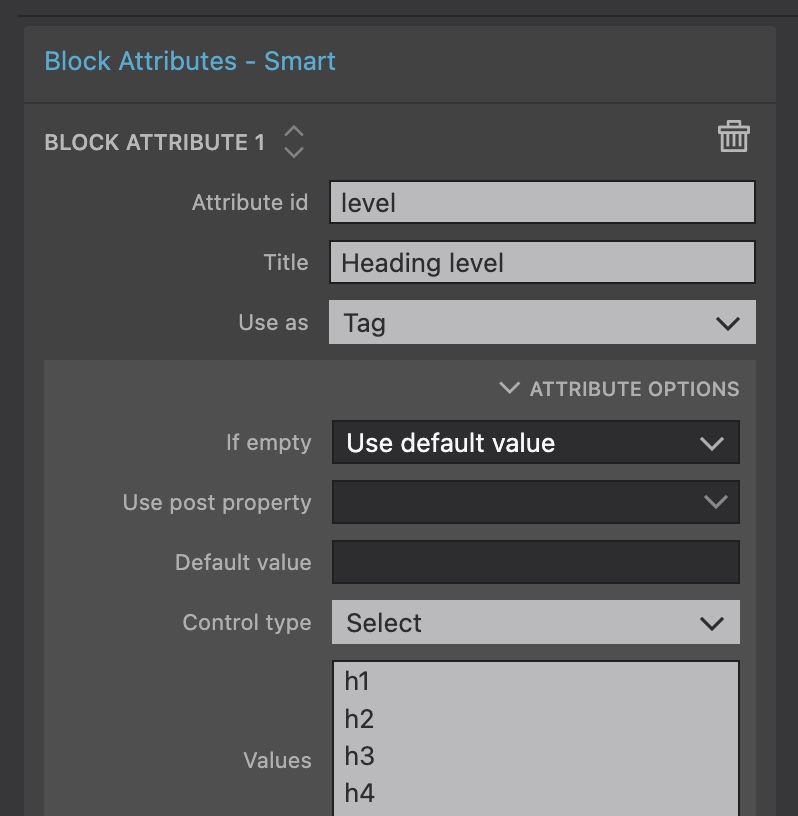
Editable tag names
Block attributes can now control the tag name of their element. For example, the content editor can now select the heading tag (h1…h4) for a heading in a custom block.
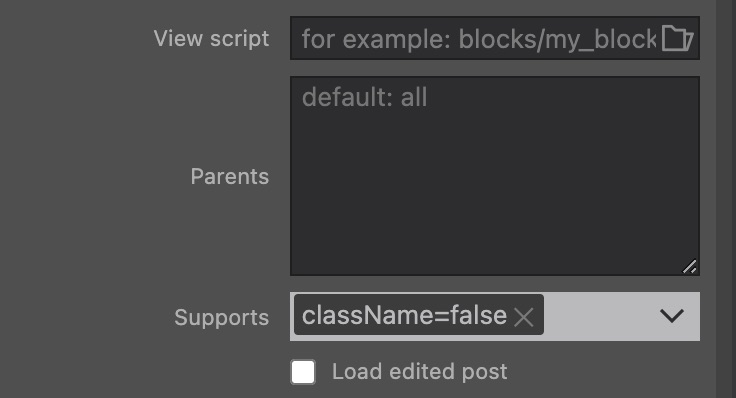
Disable automatic classes on blocks
By default, WordPress adds wp-block-[plugin slug]-[block id] classes to all block instances. Set the Supports field of the Block action to className=false to disable this on per-block basis.
Warning on unsaved CSS changes
Export the theme/plugin now warns is there are unsaved CSS changes. Such changes are not exported.
Fancy Heading - a tutorial
Learn about these new WordPress features with a new tutorial.