Instructions for upgrading to Shop Builder for WooCommerce.
DocsWordPressDocsWordPress2022-03-23
Upgrade to Shop Builder
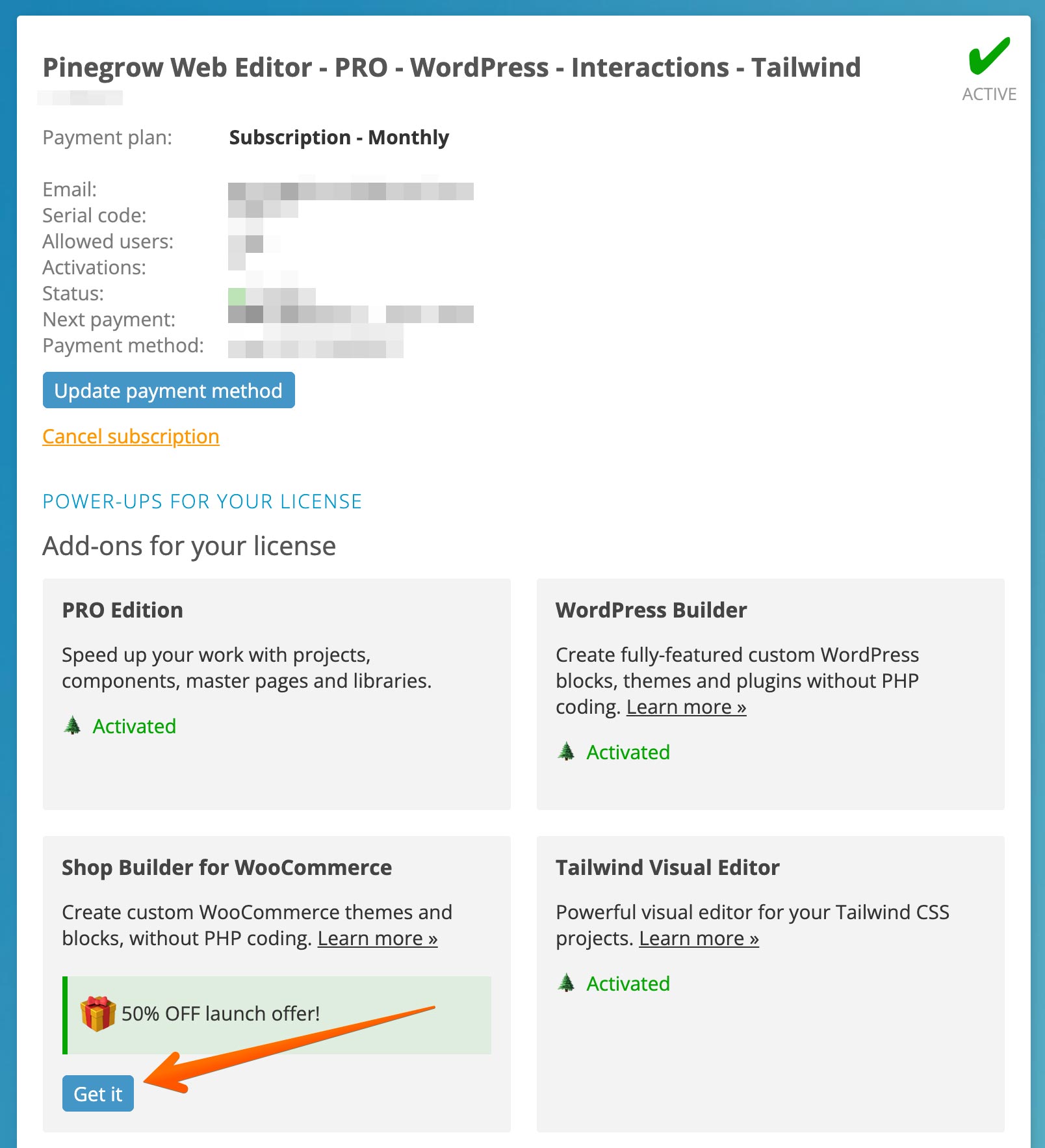
If you have active license with WordPress Builder
To upgrade, go to My Pinegrow dashboard and click on the “Get it” button in the “Shop Builder” section in add-ons area:
If you have active license without WordPress Builder
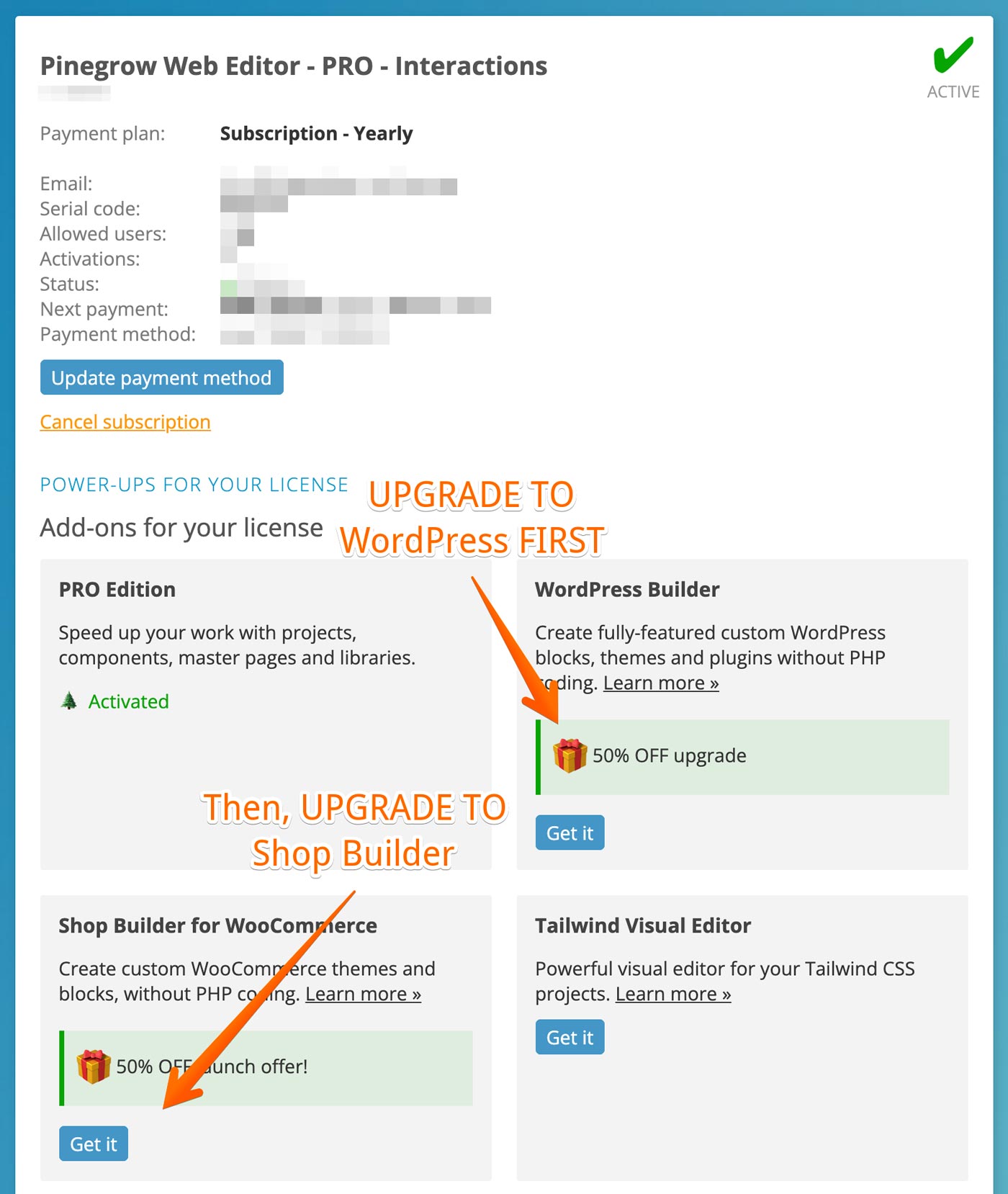
To upgrade, go to My Pinegrow dashboard and in the add-ons section of your license.
For subscriptions:
- First, upgrade to WordPress Builder
- Then, upgrade to the Shop Builder for WooCommerce
For one time payment licenses:
- Just upgrade to Shop Builder, WordPress Builder will be charged and added automatically.