
Welcome to your exciting Pinegrow WordPress adventure!
DocsWordPressDocsWordPress2024-03-06
Creating WordPress themes, blocks and plugins
This guide will help you get quickly up to speed.
First of all - Pinegrow is NOT a page builder.
Pinegrow lets you create native WordPress themes, blocks and plugins.
Projects created with Pinegrow are exported directly to WordPress PHP and JavaScript code - as if they would be coded by hand by an experienced developer.
Such themes and plugins are self contained, they run without requiring any plugins or even Pinegrow itself.
Benefits
The benefits of this approach are:
- You and your clients do not depend on third party developers.
- Things are done in the official WordPress way.
- Optimal performance - Pinegrow does not add any overhead.
- Total flexibility - use any framework, integrate any plugin, extend with any code.
- The workflow is not a black box - using Pinegrow allows you to learn the inner workings of WordPress as you progress, gaining valuable experience along the way.
Use cases
The two most common approaches to building a WordPress site with Pinegrow are:
Build a custom (classic, non-block) theme, with all the required templates (index, home, single post, page…), optionally adding custom blocks.
Build a plugin with custom blocks that are then used on an existing theme. You can take any block theme or FSE theme, and use Pinegrow to create custom blocks to do things that the theme and core WordPress blocks can’t easily handle.
Getting up to speed
Compared to popular page builders, Pinegrow’s approach looks more complex.
There is a learning curve involved. But…
Whatever you learn while using Pinegrow will also be generally useful knowledge about WordPress itself (and HTML & CSS).
Here are tutorials and guides that will help you get started:
Create your first block - go from zero to building a fully editable custom WordPress block in less than an hour. Open Pinegrow (desktop or plugin) and find the tutorial in the Interactive tutorials section:
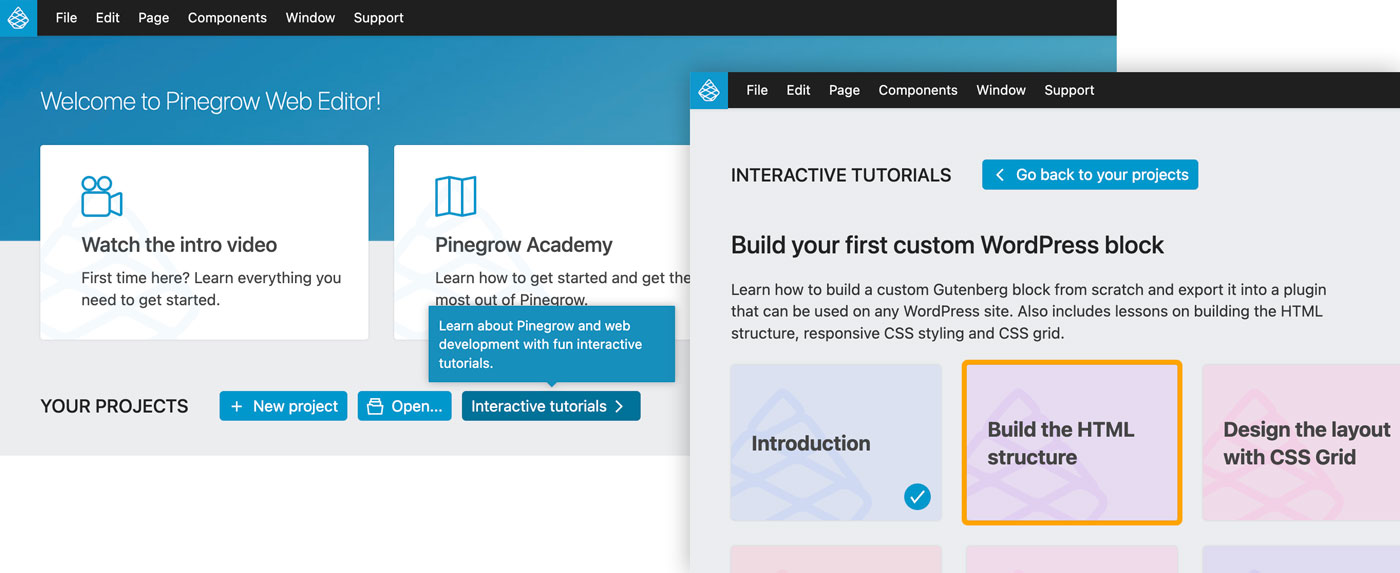
There are more interactive in-app tutorials, mostly about building custom blocks.
Adam Lowe has an extensive library of top quality videos on using Pinegrow to create real-world WordPress projects. He also created a course on creating themes with Pinegrow.
Or, go through our tutorials on building custom WordPress themes.
For small, ready-made solutions, such as displaying the site name in a heading or using a customizer control to show or hide an element, see the WordPress examples.
Get Pinegrow - free trial is included
Pinegrow WordPress builder comes in three editions:
Pinegrow Web Editor with WordPress Builder
Pinegrow Web Editor is a fully featured HTML and CSS desktop editor that comes with WordPress converter integrated right into the editor. Use it to visually design your WordPress theme.
You should use Pinegrow Web Editor if you work complex projects that use source control (such as Git) for versioning and collaboration.
Pinegrow WordPress Plugin
Pinegrow WordPress Plugin is a plugin for WordPress that brings Pinegrow to the browser, self-hosted on your WordPress site.
You should use the plugin if you conveniently build themes and plugins directly on WordPress sites, without having to upload exported themes and plugins. This is best for less complex projects that do not require version control or for building custom block plugins for existing sites.
Pinegrow Theme Converter
Pinegrow Theme Converter lets you use your favorite website design tool (Webflow, Muse, Blocs, code editor…) to create WordPress themes and plugins. Just export the HTML version of your project and run it through Theme Converter to generate the updated theme.
Free trial is included in the desktop version.
How about Woo(Commerce)?
Creating custom WooCommerce projects is available with the Shop Builder for WooCommerce add-on that extends the WordPress panel with eCommerce actions.
Skills
Learn everything you need to know about creating WordPress themes:
Overview of the theme creation process. A must-read, describing key WordPress concepts and proving an overview of how to convert static HTML to dynamic WordPress theme.
Theme Settings talks about setting up the information required for creating the theme.
Page Settings and A Guide to template naming cover exporting the individual template files (each WordPress theme consist of one or more templates).
Tutorials & Courses lists a bunch of step-by-step tutorials on creating WordPress themes.
Get started
Convert HTML websites to WordPress themes: a step-by-step guide
In this guide we’ll learn how to easily convert HTML websites to WordPress themes – without coding. We’ll cover WordPress theme structure, using custom post types and fields…
Overview of the theme creation process
Pinegrow Web Editor with WordPress theme builder lets you visually create and edit WordPress themes.
Ten points for productive WordPress development with Pinegrow
Want to get into WordPress theme development with Pinegrow WP? Here are 10 points that will help you to get started while avoiding possible mistakes and frustrations.
WordPress courses and tutorials
Use these tutorials to get familiar with WordPress theme development in Pinegrow.
Theme building
WordPress template structure: headers, footers, site content and master pages
Looking at the WordPress theme projects created with Pinegrow or Pinegrow Theme Converter and submitted for review to our technical support, we have discovered that the very useful…
A guide to WordPress templates for posts, pages and custom post types
A website usually contains more than an index page and you probably want to create different layouts for different pages and posts for your WordPress theme. The good…
Short guide to naming WordPress templates
WordPress decides which template file to use based on what it wants to display. If that file is not present, it looks for the next appropriate file. In…
Including scripts and styles
Controlling how script and style resources are included into exported WordPress theme.
Responsive images
It’s a fact. Images are an integral part of almost any website. But, when adding images to your site, it is essential not only to choose those that…
Create and customize theme.json
Discover how to use the new Pinegrow WordPress builder feature that allows you to export theme.json files with your WordPress themes.
Live data and preview
Build WordPress themes, plugins and blocks while using real data and previews from your WordPress site.
Components with WordPress actions
Use Pinegrow’s static HTML components in combination with WordPress actions to create reusable dynamic elements.
Using Interactions in WordPress themes
Pinegrow Interactions can be used in WordPress themes and plugins.
Pinegrow WordPress Starter Theme 2
The WordPress Starter Theme 2 (ST2) is a framework for quickly developing your own custom themes based on Bootstrap 4.5.0, SASS and WooCommerce 4.2.2.
Custom blocks
Build custom Gutenberg blocks for WordPress
Create custom Gutenberg blocks visually, without coding and without plugins.
Actions reference
WordPress actions
Learn more about each Smart action, including description of related WordPress concepts and examples.
WooCommerce
Shop Builder for WooCommerce
Pinegrow WooCommerce extends the WordPress panel by adding actions for displaying products, product lists, categories and other WooCommerce elements.
WordPress plugin
Pinegrow WordPress plugin
Pinegrow WordPress Plugin lets you create custom blocks and themes directly on your WordPress site.
Theme Converter
Working with selectors
Pinegrow Theme Converter uses CSS selectors to add WordPress actions to HTML elements on the page. Let’s take a look how to use high-quality selectors and solve any…
Convert Webflow designs to WordPress themes or block plugins with Theme Converter
Theme Converter facilitates turning HTML templates into a WordPress theme or block plugin for the WordPress CMS. This application is designed to work along with your preferred web…
Convert a Webflow project into a WordPress theme
A step by step tutorial about how to convert a Webflow template into a WordPress theme with the new Pinegrow Theme Converter for WordPress application.
Troubleshooting
Troubleshooting WordPress theme conversion
Because the conversion from HTML to WordPress is not a black box process, there are sometimes edge cases that you will need to take into consideration upfront in…
FAQ about creating WordPress themes with Pinegrow
Let’s face it, although made super easier by the use of Pinegrow or Pinegrow Theme Converter for WordPress, the creation of a custom WordPress theme remains a complex…
Older content
WordPress builder features
Pinegrow WP is an extended edition of Pinegrow Web Editor, It has all the features of Pinegrow Web Editor + a totally innovative new way to design and…