
We’ll display the title of our website in H1 heading in the header of our page.
DocsWordPress examplesDocsWordPress examples2018-05-08
Site NameExample
Display the Site name in a Heading
The Starting Point
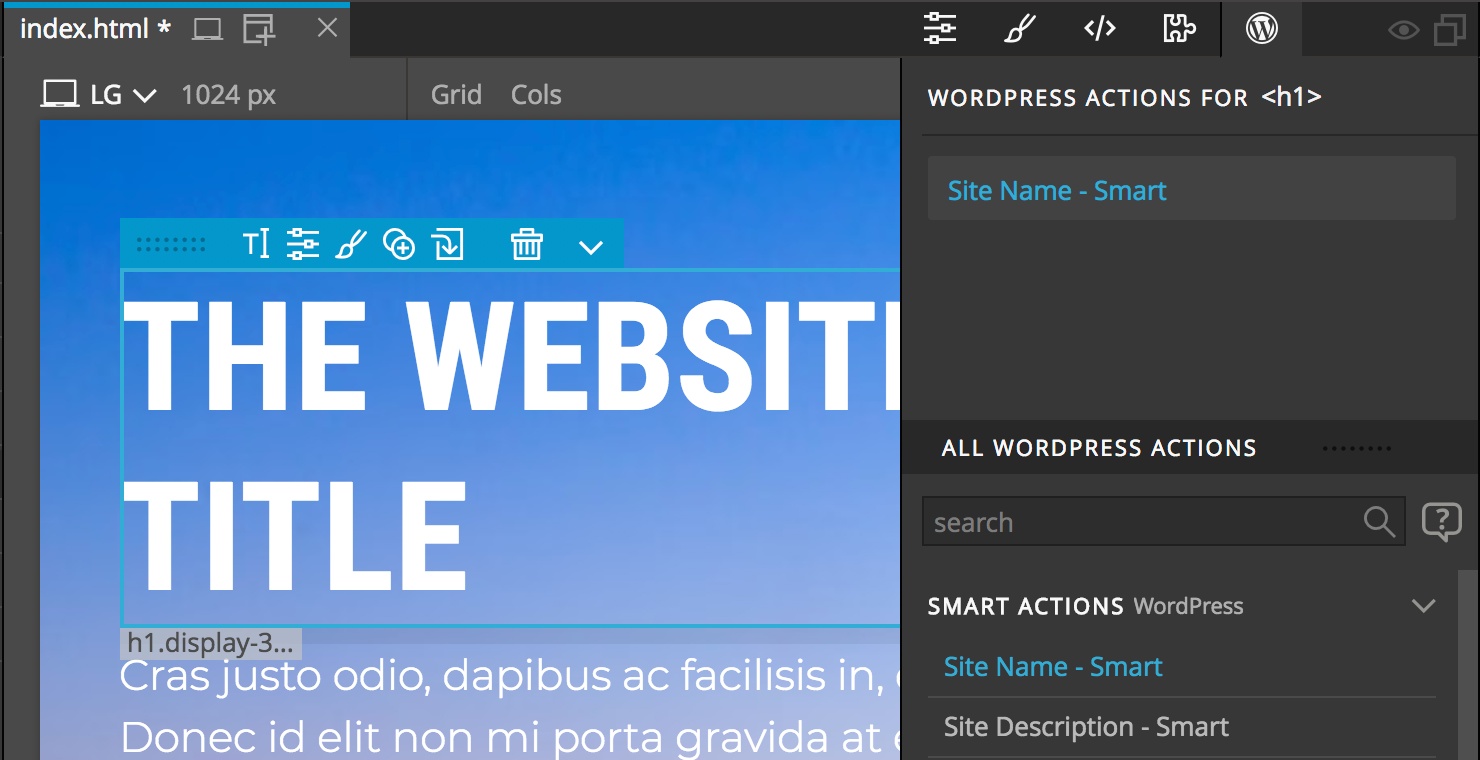
We have a H1 heading in the website header of our HTML page.
<h1 class="text-white">The Website Title</h1>Steps
In Pinegrow - Select the H1 and add the Site Name - Smart action from the WordPress panel:
The HTML code with WordPress actions:
<h1 class="text-white" cms-site-name>The Website Title</h1>Export the Theme
Quick Export the page by saving it or do the Whole Theme Export with CTRL (CMD on Mac) + W.
The Result
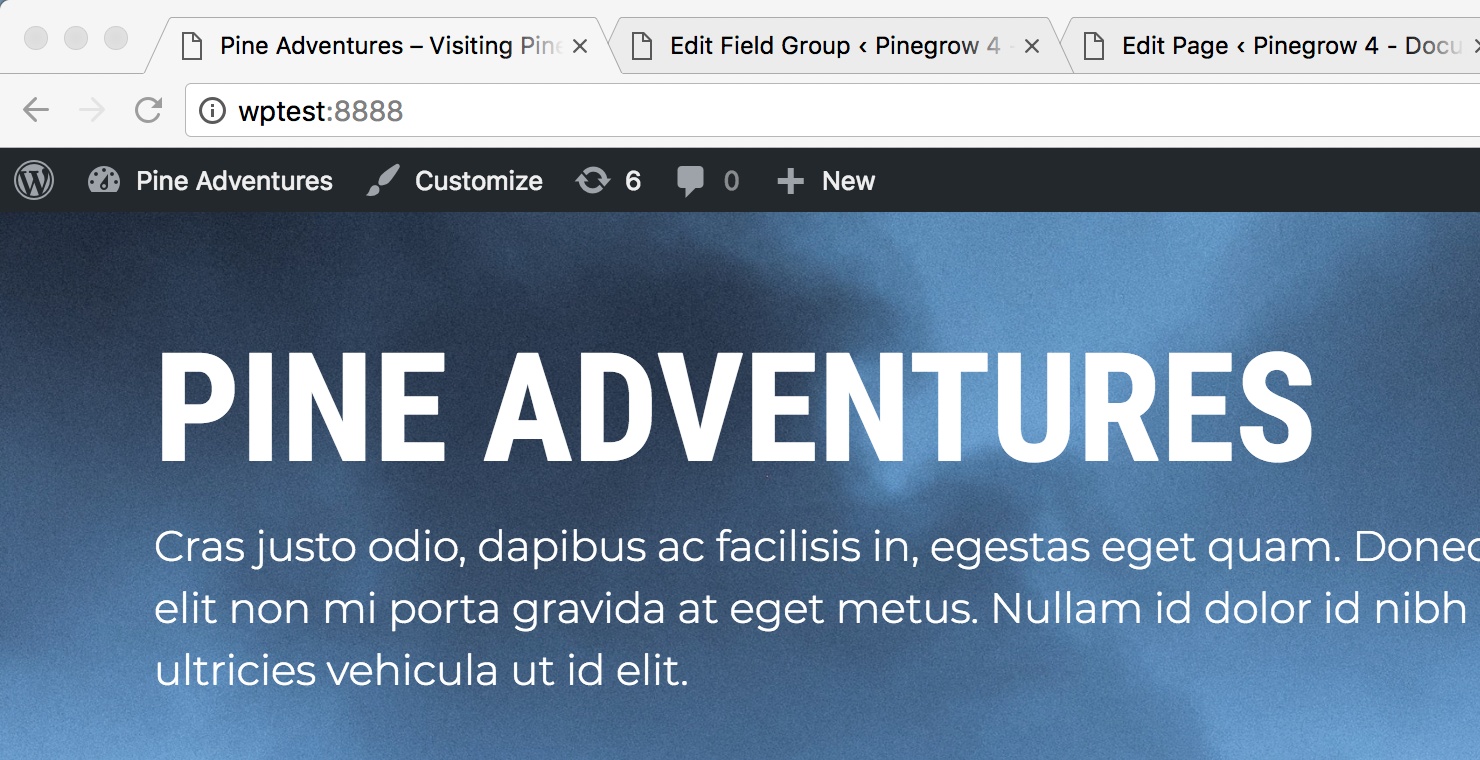
On the website - The heading now shows the website name:
The generated PHP code:
<h1 class="text-white"><?php bloginfo( 'name' ); ?></h1>Tips & Tricks
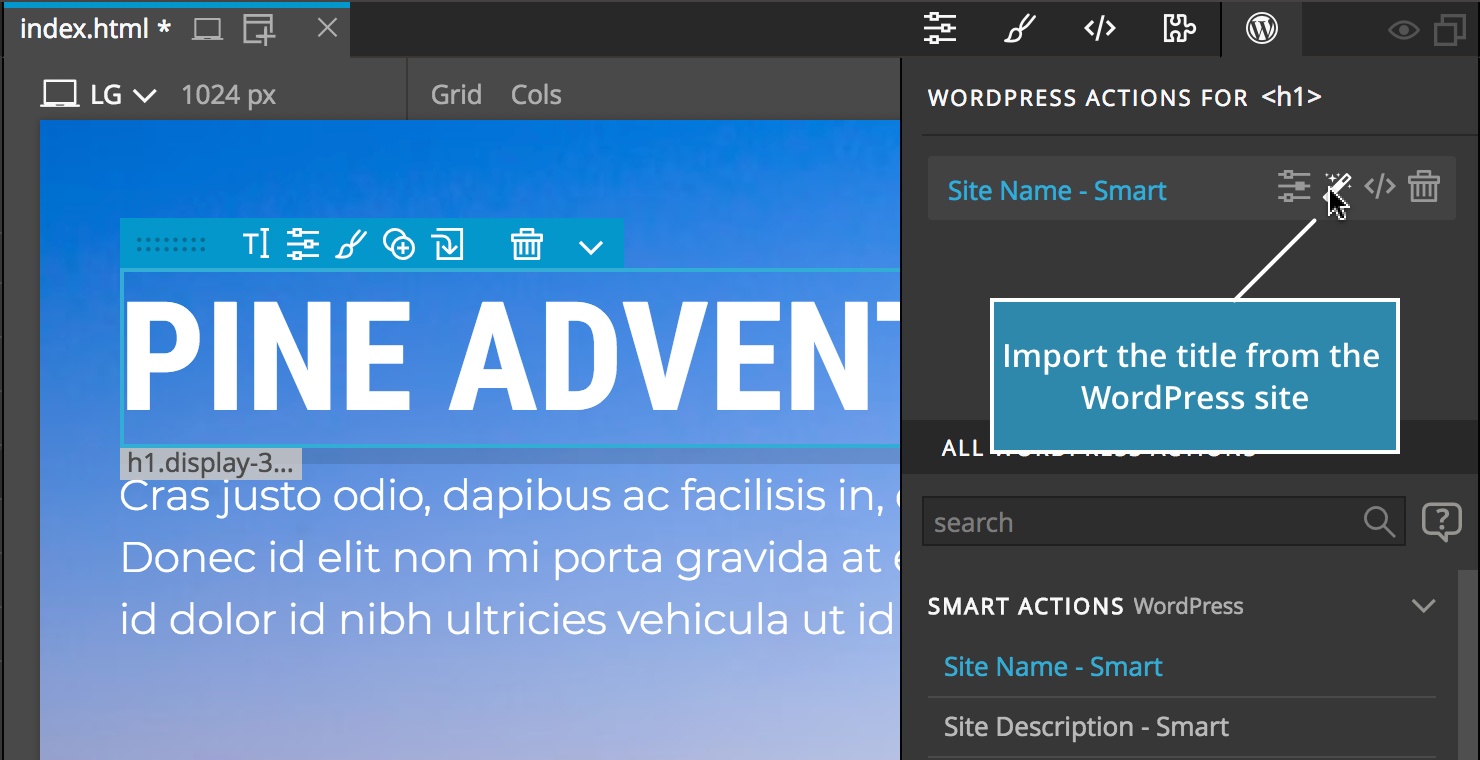
We can then use the Import from WordPress to import the actual site name to our HTML page:
WordPress actions in this example
- Site NameSite Name action displays the website name and optionally, adds a link to the home page.