
Edit remote documents, work with dynamic HTML elements, Materialize 1.0.0, WordPress improvements and more.
Release notesRelease notesRelease notesRelease notes2020-01-21
Pinegrow Web Editor 5.92, January 21, 2020
Pinegrow Web Editor 5.92 is available for download.
This release comes with powerful new features and improvements:
Edit remote websites and web applications
Use Open URL to open documents from local or remote web servers and seamlessly save any changes into a selected local folder/project.
When the URL is re-loaded local saved changes are injected back into the remote document so that you can continue the editing process.
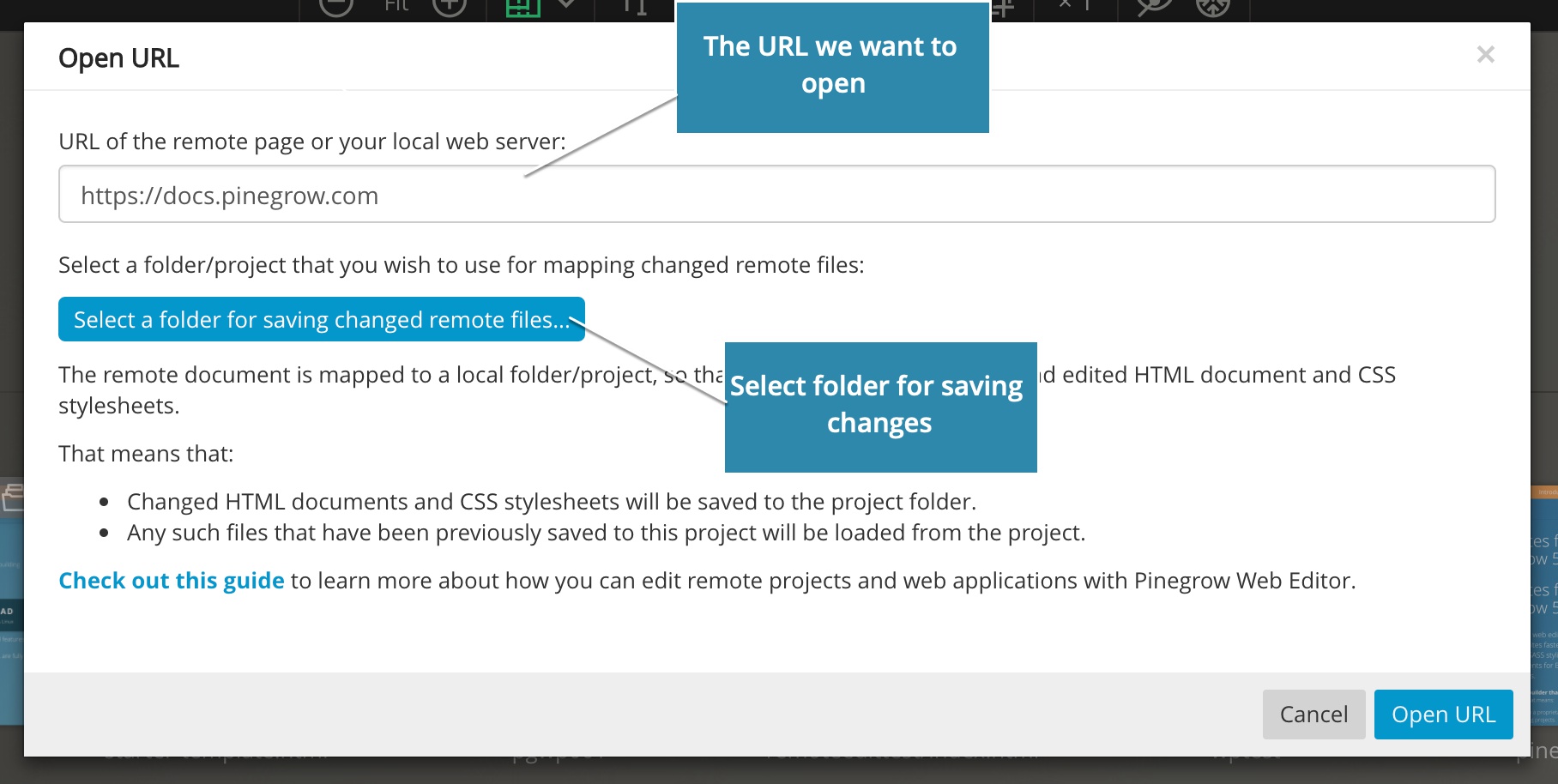
This is useful for styling remote projects and for prototyping.
Learn more about editing remote projects »
Work with dynamic HTML elements
Dynamic elements are HTML elements created by Javascript code after the page loads. Until now it was not possible to select and edit such elements in Pinegrow.
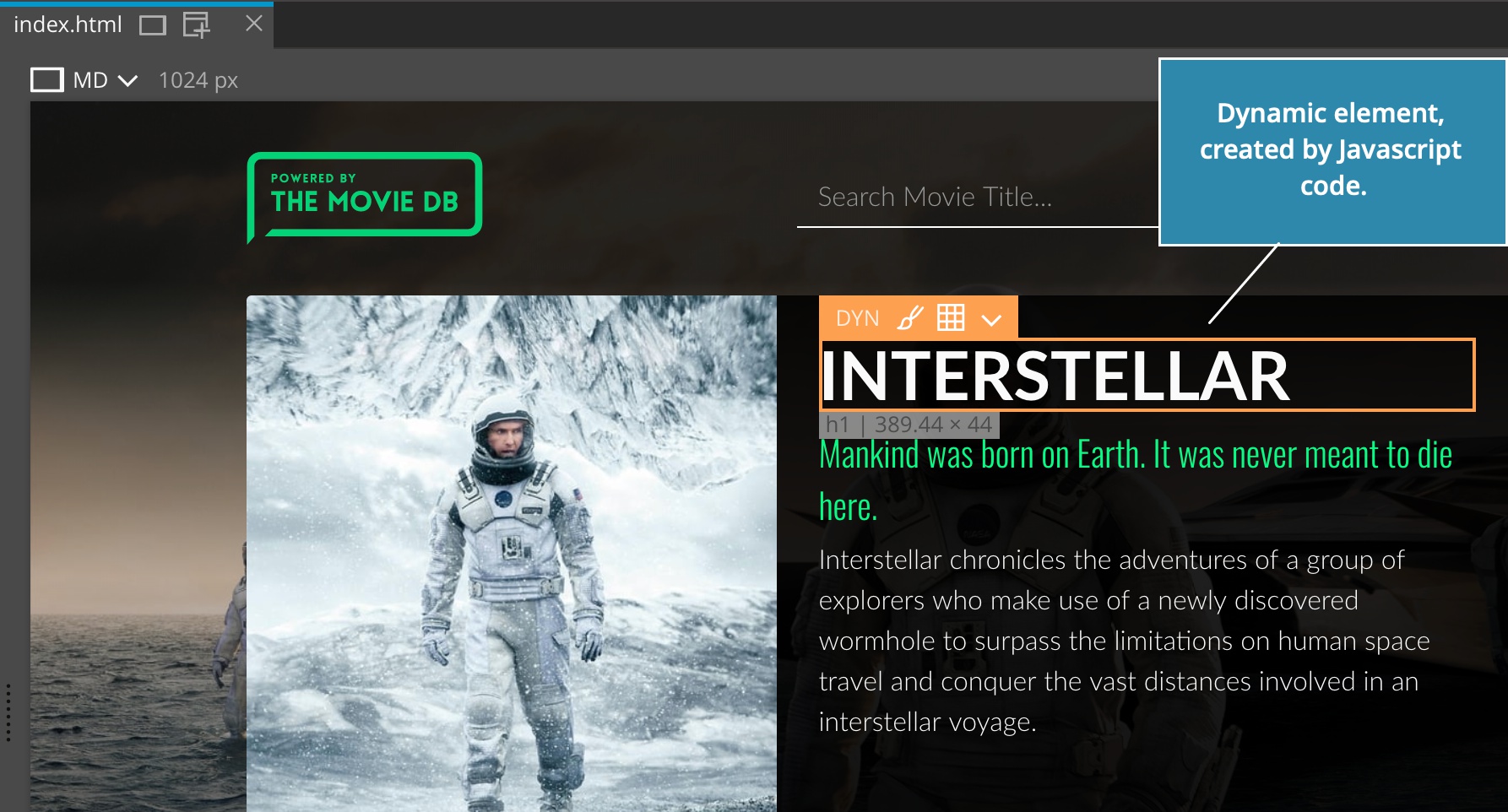
Now you can select dynamic elements and style them in the Style panel.
Lean more about working with dynamic elements »
Materialize 1.0.0
Support for Materialize framework was updated to the stable release version 1.0.0.
Improved Google Fonts support
Google Fonts manager now:
- Uses the correct font category sans-serif, serif, cursive and monospace with the font name.
- Shows selected fonts and selected style in the font list.
- Only displays the available selected font weight in the CSS Visual Editor.
To open the Google Fonts manager:
- Select Page › Manage Google Fonts, or
- Select Manage Google Fonts in the Font Family property dropdown in the CSS Visual Editor.
Handling imported CSS stylesheets
Pinegrow Web Editor now properly handles the situation where a CSS stylesheet is imported by multiple parent stylesheets.
WordPress Theme Builder improvements
These features are also coming soon to Pinegrow Theme Converter.
Conditionally enqueue scripts and styles
Scripts and styles can now be conditionally included to the page by adding IF Conditional statements to <script>, <link> and <style> elements.
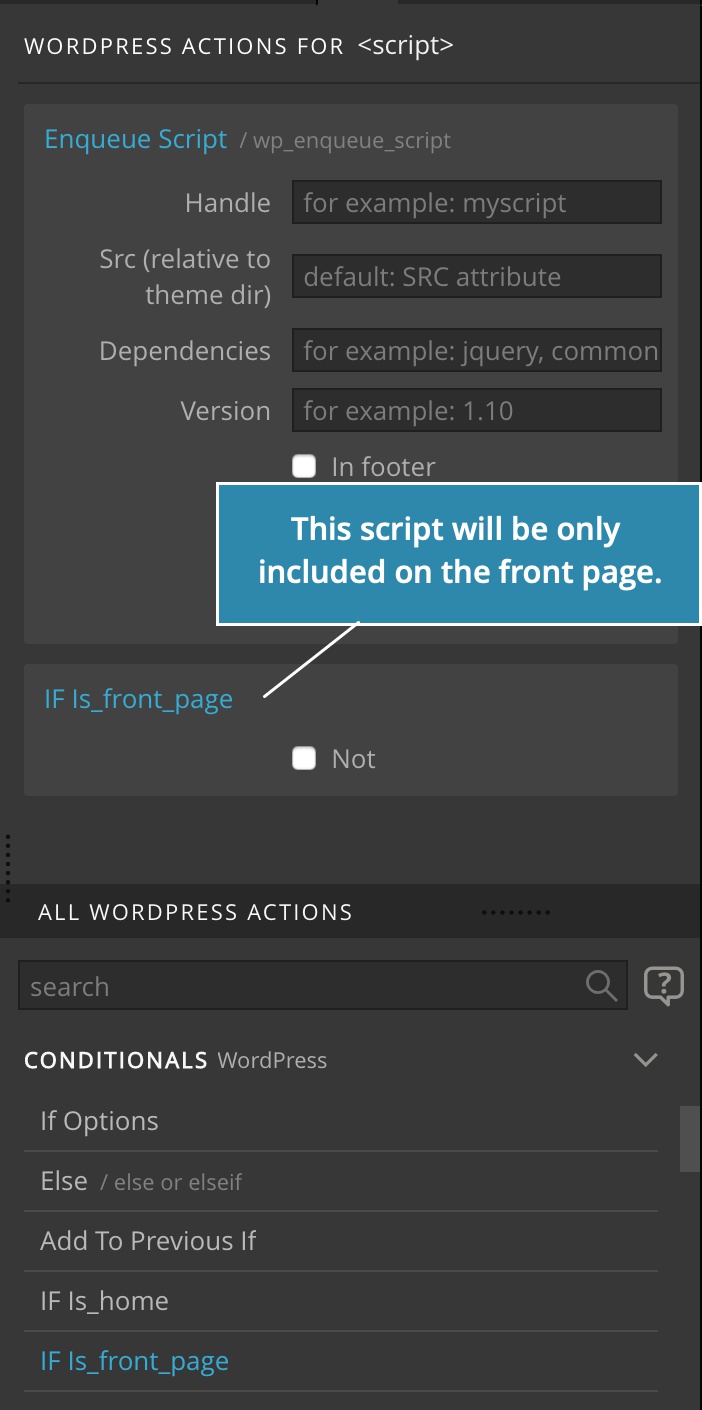
Learn more about conditionally enqueueing resources »
Use Customizer to show or hide an element
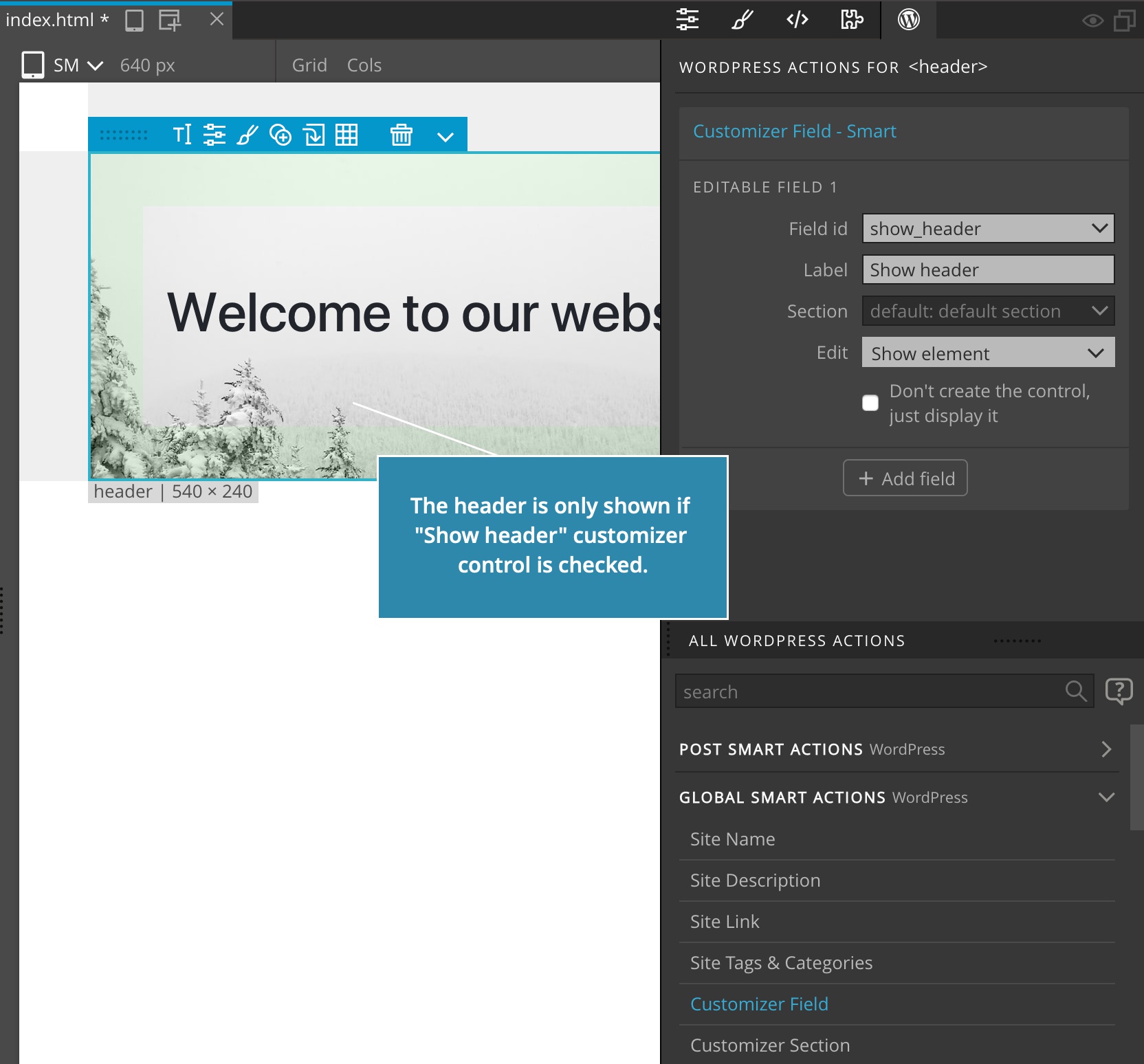
The Customizer Field - Smart action got a new Edit option: “Show element” that creates a checkbox control for setting the visibility of the element.
Bug fixes
- Right-clicking on a unselected element on the page and doing Transform operations now targets the correct element.
- Prevent adding elements outside of the
<body>elements when dropping elements on the page view.