
CSS Gradients, Bootstrap 4.1.3 and improved CSS Grid Editor & SASS support.
Release notesRelease notesRelease notesRelease notes2018-08-28
Pinegrow Web Editor 4.91, August 28, 2018
Pinegrow 4.91 is available for download and comes with:
- Visual control for CSS gradients and a library of gradient presets
- Improved Visual CSS Grid Editor
- Bootstrap 4.1.3
- Automatically save the CSS file when the SASS or LESS source file change outside of Pinegrow
- Bug fixes
Details:
CSS Gradients
CSS Visual Editor has a new CSS gradient control in the Background section:
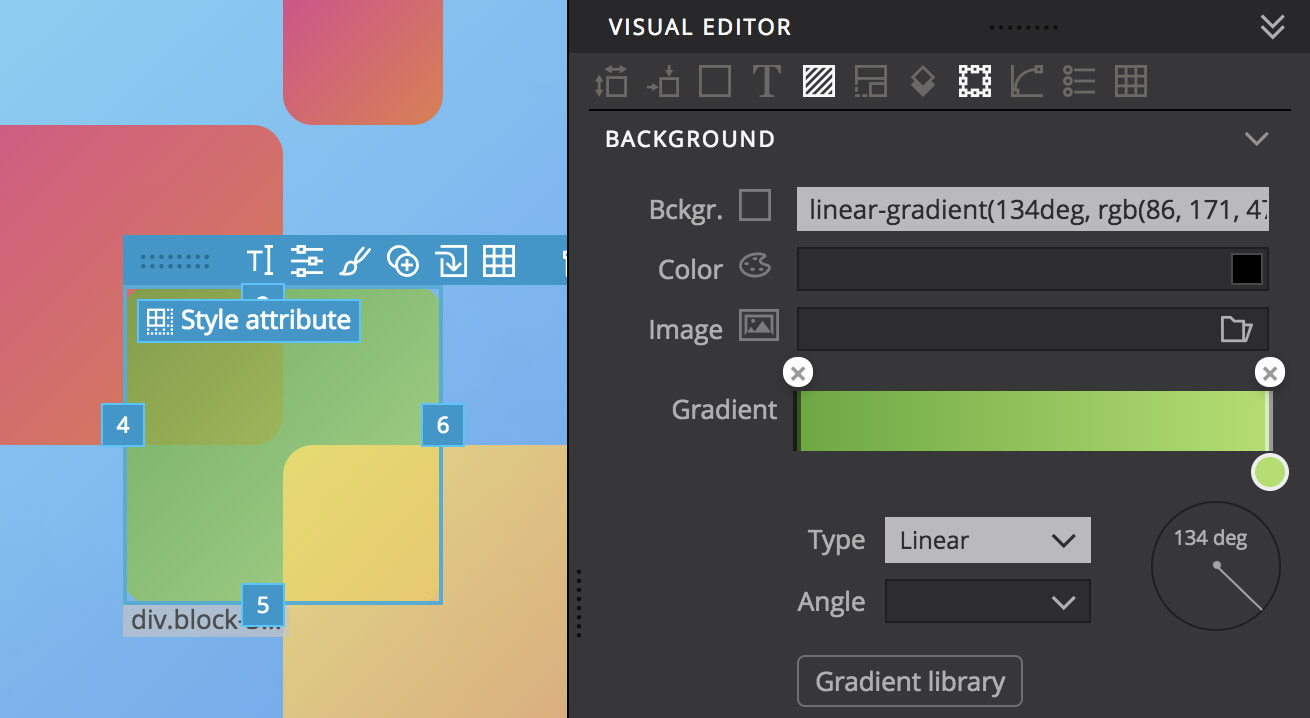
There, you’ll also find a “Gradient Library” button that opens up a window with beautiful gradient presets from uigradients.com. Click on any gradient to use it in the currently selected CSS rule.
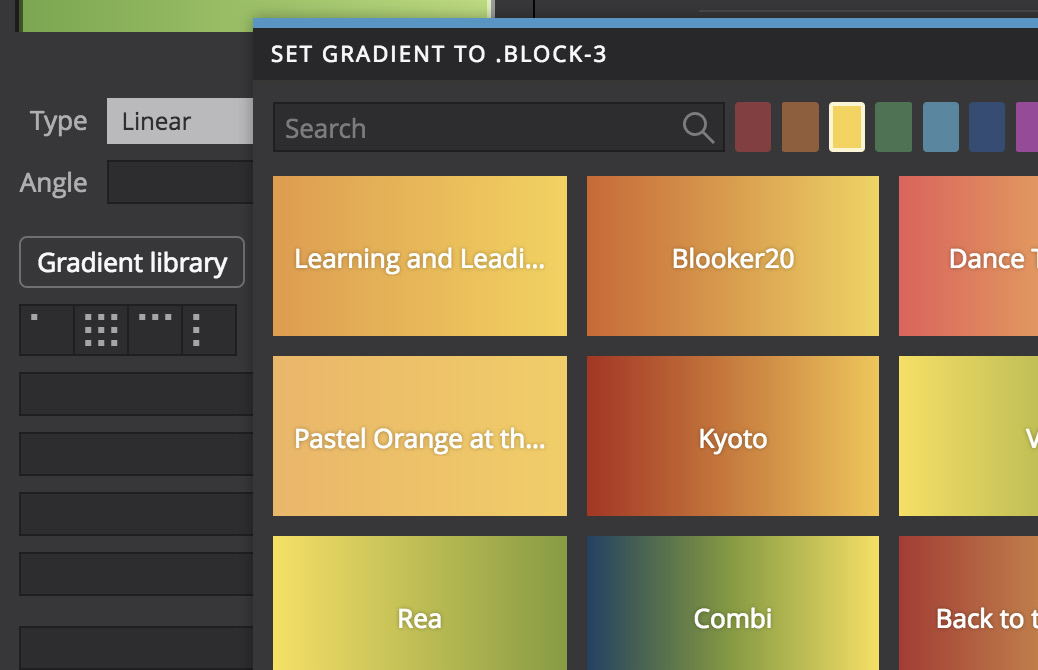
Then, you can use the new CSS Gradients control to further customize the selected gradient.
Improved CSS Grid Editor
Resizing and positioning grid elements with resize handles is now more precise.

Bootstrap 4.1.3
Bootstrap 4 starter templates have been updated to Bootstrap 4.1.3.
Automatically save the CSS file when the SASS or LESS source file change outside of Pinegrow
Some users prefer to edit complex SASS/LESS files in an external editor. When such files are saved externally, Pinegrow reloads them automatically, compiles CSS files and applies them to open page views.
Now, Pinegrow will also save the compiled CSS file. That means that you can use Pinegrow as a SASS compiler that watches SASS files for changes and then compiles and saves the CSS files.
Bug fixes
WordPress: Post Image - Smart action now correctly handles the “Image size” argument.