
Pinegrow 2.93 is available for download.
Release notesRelease notesRelease notesRelease notes2016-09-07
Pinegrow Web Editor 2.93, September 7, 2016
Note: just like the previous release 2.92, this release also deserves more than just a 0.0x version bump, but we ran out of decent numbers before the 3.0 release.
Pinegrow CMS for static HTML websites
Pinegrow CMS lets end-users edit static HTML websites without touching the HTML code. See documentation and tutorials to get started.
Add and Remove links
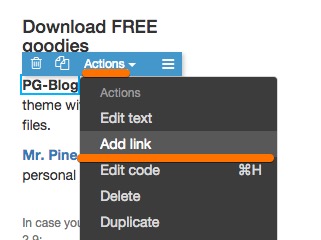
To add a link to the selected element use Actions › Add link and Actions › Remove link. Link url and other properties can then be edited in the PROP panel.
Auto update CSS rules display in Style PROP section
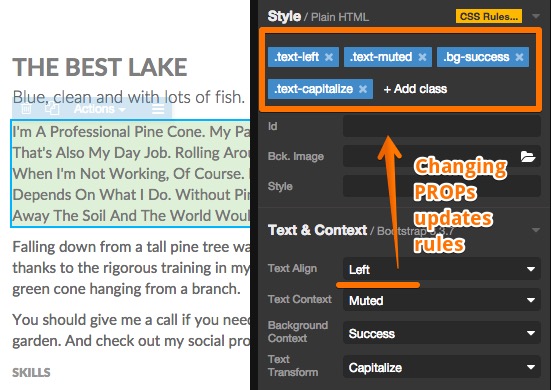
The list of CSS rules that affect the selected element is now updated automatically without having to re-select the element after making a change.
Editable areas extensions
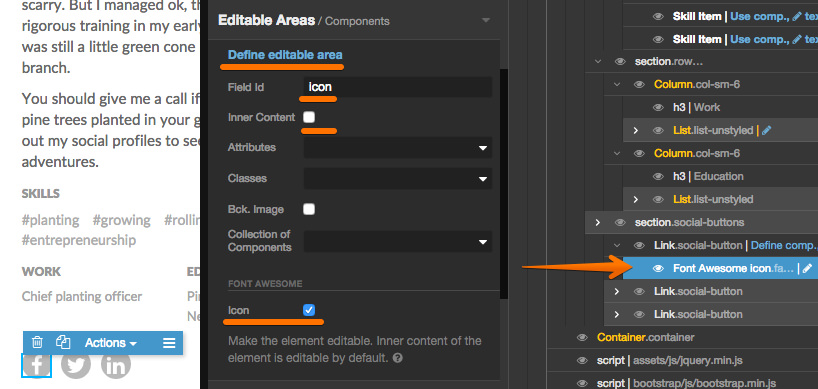
Editable area properties have been simplified and plugins can now add their own editable area extensions. Currently, Font Awesome icon and Bootstrap button size and type are implemented.
Bootstrap and Foundation
- Foundation was updated to 6.2.3.
- Bootstrap was updated to 3.3.7. We’re still waiting for the official 4.0 release.
- Bootstrap and Foundation resources to an existing page with Manage libraries & plugins › Bootstrap (or Foundation) › Resources.
Free WordPress and HTML templates
We also released two useful themes:
PG-Blog - A pure HTML+CSS (no frameworks) WordPress Theme with PGWP source files.

Mr. Pine Cone - A simple personal HTML website.
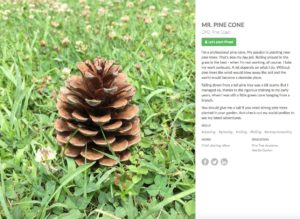
You can use them for personal and commercial purposes. They’re also a great way to learn about how to create websites with Pinegrow.