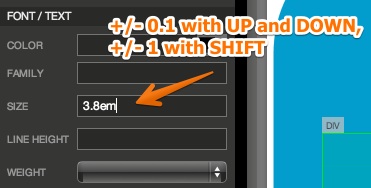
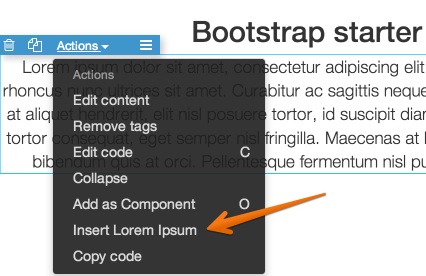
It has important bug fixes and a couple of new features:UP and DOWN arrow keys in CSS rules properties increases or decreases values by 0.1 unit (1 unit with SHIFT) if value is a decimal value (normally by 1 and 10 units). Use selected element Actions › Insert Lorem Ipsum to quickly insert placeholder text.
Release notesRelease notesRelease notesRelease notes2014-06-17
Pinegrow Web Editor 1.14, June 17, 2014
Use selected element Actions › Insert Lorem Ipsum to quickly insert placeholder text.
Improved handling of empty elements (for example, divs without children). min-height:100px is applied to empty elements so that you can see them while editing the page (otherwise their default height is 0px). New setting was added to enable or disable this behaviour.

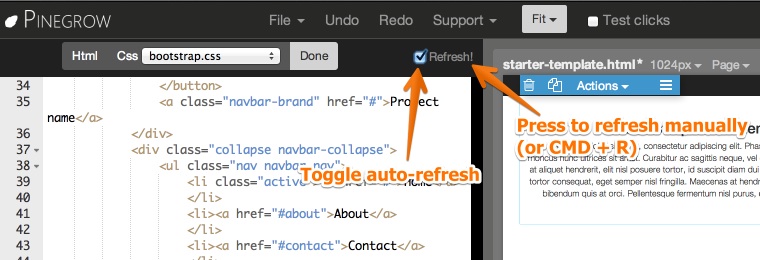
Disable auto-updating in page Edit code (checkbox on the right side of the edit toolbar). Click on Refresh or pressCMD + R to manually refresh the page view after making changes to the code. This is useful when auto-updating gets too slow on complex pages.