
Pinegrow 2.94 is available for download. The new release brings improvements and important bug fixes.
Release notesRelease notesRelease notesRelease notes2016-09-27
Pinegrow Web Editor 2.94, September 27, 2016
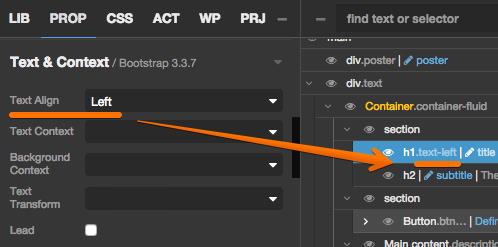
Classes shown in the tree are now updated when properties in PROP panel change:
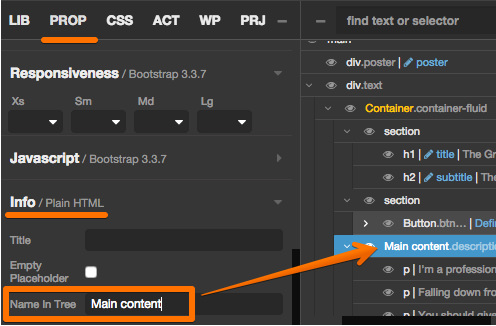
Use Name in tree property in Info section of the PROP panel to name elements in the tree:
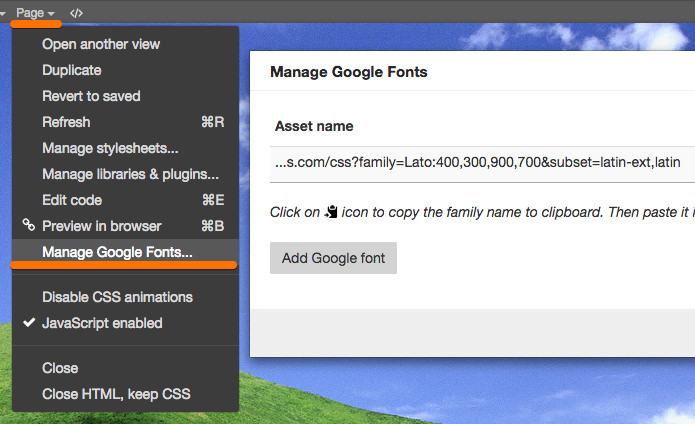
Manage Google Fonts (old asset manager) was added to Page menu. It lets you easily add and remove Google fonts from the page:
Code editor is now focused when opened.
FIXED: Selecting code in the code editor in the external window no longer deletes the selected code. That was a very annoying bug, we’re happy it is gone now 🙂
SVG elements can be edited with Element edit code without freezing Pinegrow.