
Create custom WordPress blocks, improved CSS Grid editor and projects.
Release notesRelease notesRelease notesRelease notes2020-02-23
Pinegrow Web Editor 5.94, February 24, 2020
Bug fix release 5.941
On 3. March we released Pinegrow Web Editor 5.941 that fixes issues with enqueueing WordPress resources.
A minor feature was also added - element classes are now sorted alphabetically when manipulated through Add Classes tool, with Properties panel controls or during updates of components with editable classes.
Download
Pinegrow Web Editor 5.941 is available for download.
Create custom blocks for WordPress Block Editor
You can now use WordPress Theme Builder to turn any HTML element into a custom WordPress block. Blocks can contain custom fields and use all available WordPress actions, for example displaying a list of related posts.
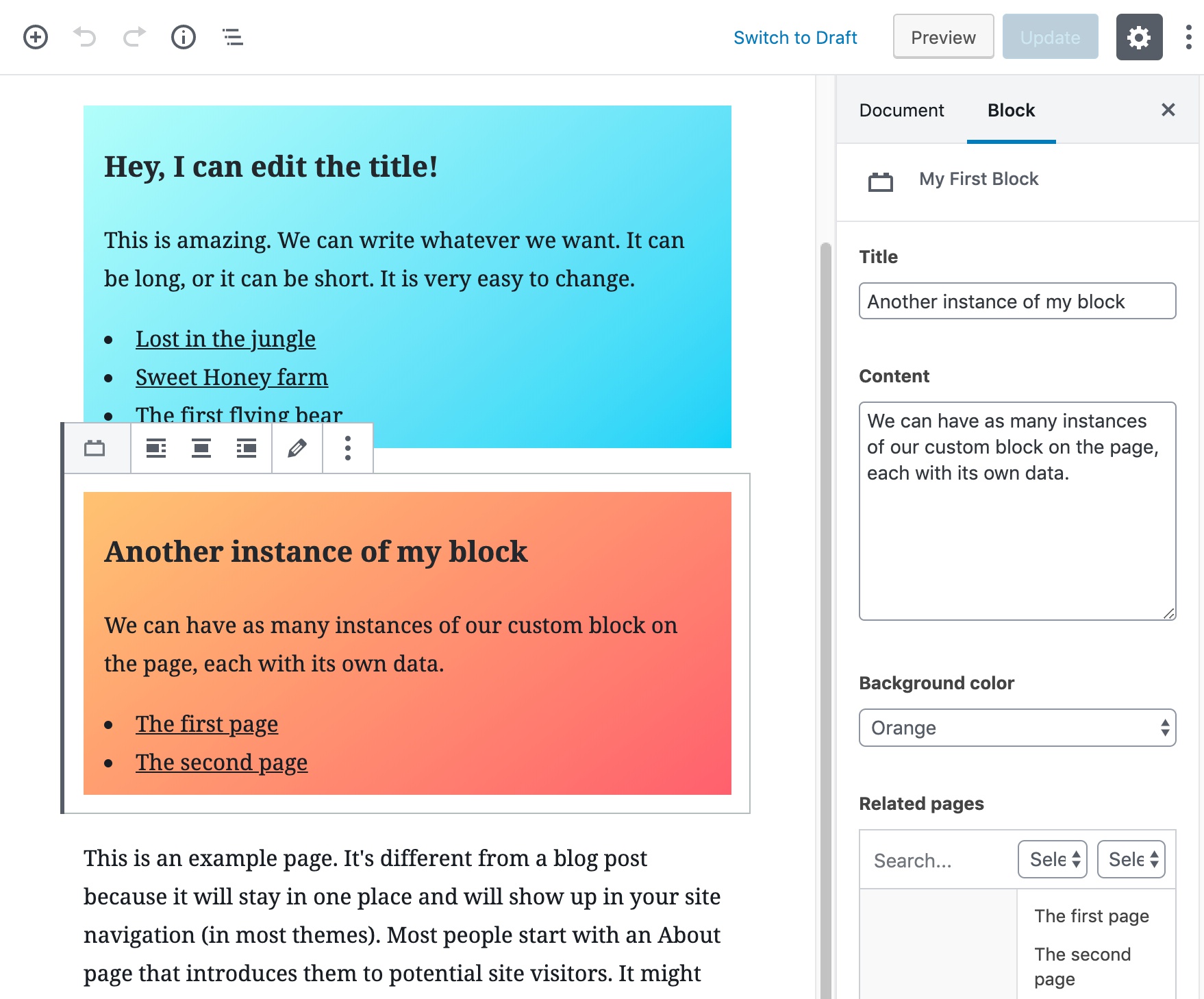
Take a look at the detailed guide about creating WordPress blocks.
Improved CSS Grid editor
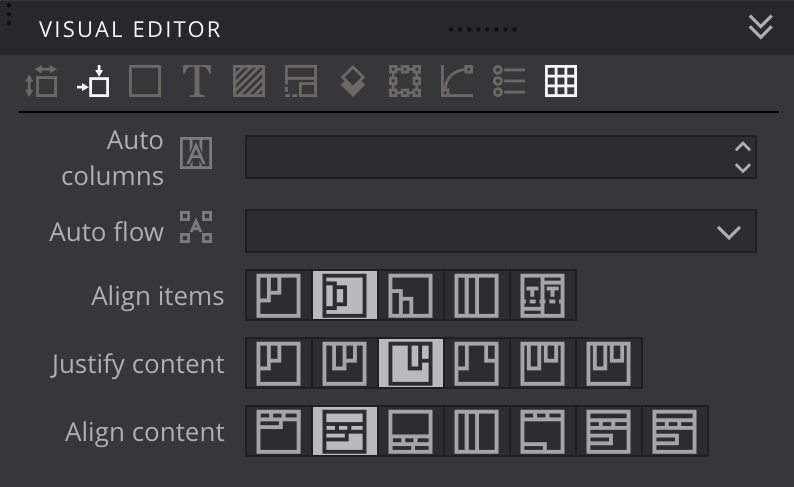
CSS Visual Editor now includes controls for align-items, justify-content and align-content properties. These properties control how grid content is positioned vertically and horizontally in the available space.
Creating new pages
Pinegrow got smarter in how it handles creating new pages within an existing project. For example, when adding a Bootstrap 4 starting page into a project subfolder, the new page will use existing Bootstrap resources from the project root folder, instead of duplicating these resources in the target subfolder.
Speeding up project loading
Pinegrow 5.93 introduced the ability to exclude project files and folders from the process of scanning the project for components. But, this new feature introduced performance issues when loading projects with lots of files and folders.
We now optimized the process and greatly improved the speed of project loading.
Updates
Foundation and Font Awesome were updated to their latest versions.
Bug fixes
This release comes with important bug fixes.