
Pinegrow 2.1 with Page tabs, WP goodies and more Hi, Matjaz here, the author of Pinegrow Web Editor. Pinegrow 2.1 is available for download. The update is free if it falls within one year from your license purchase (no problem if that’s not the case – you can get additional year of updates for half
Release notesRelease notesRelease notesRelease notes2015-05-26
Pinegrow Web Editor 2.1, May 26, 2015
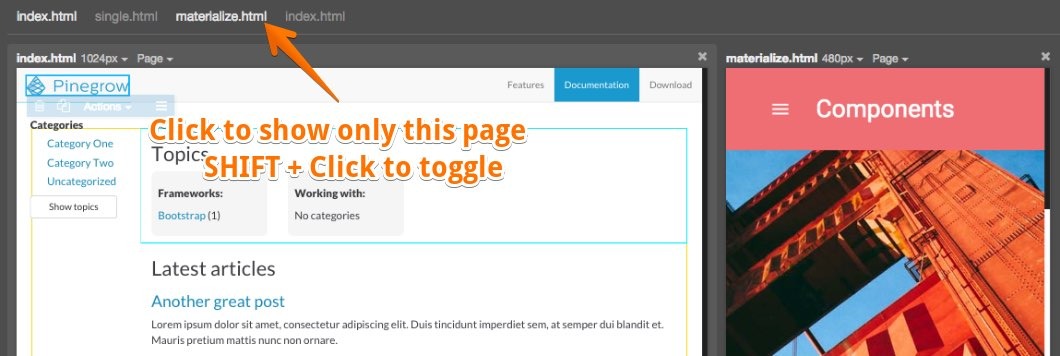
Hi, Matjaz here, the author of Pinegrow Web Editor. Pinegrow 2.1 is available for download. The update is free if it falls within one year from your license purchase (no problem if that’s not the case - you can get additional year of updates for half the price of a regular license). Trial users will get a fresh trial period with this release. This release has lots of improvements that will make your work easier and it adds a bunch of new features to WordPress theme builder: Page tabsWell, kind of. Unlike with traditional tabs you can have more Pinegrow documents displayed side by side: ▪ Click on the page name to show only that page |
 |
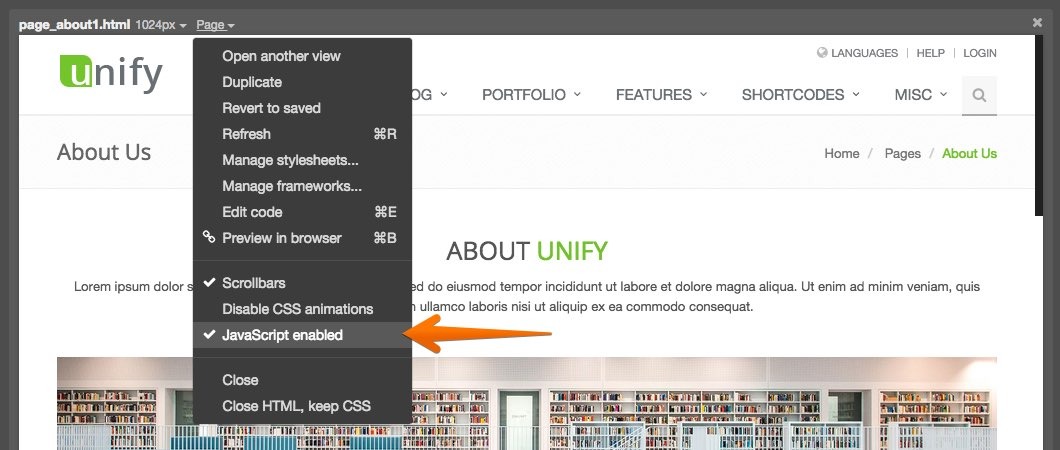 |
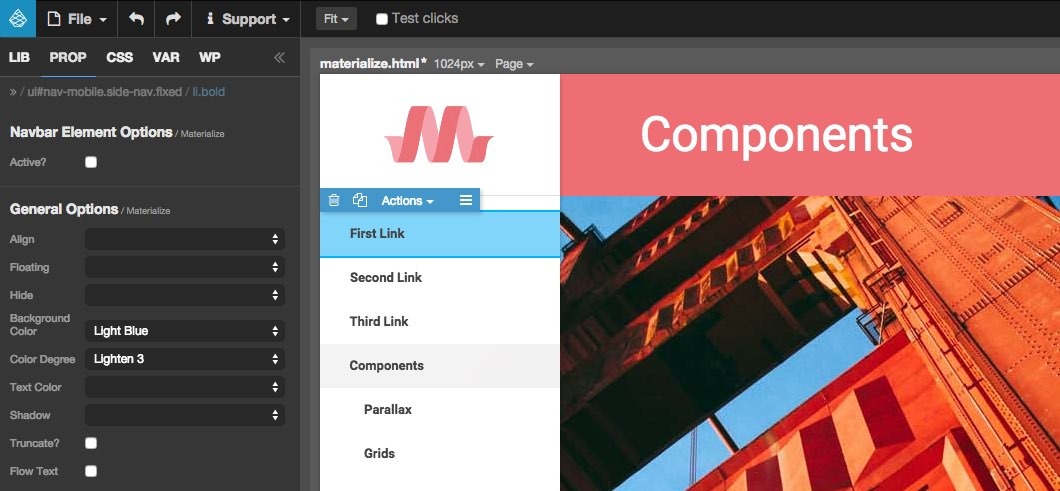
Disabling Javascript in Pinegrow is also a great way to test how your page behaves without Javascript. Having the content of the page hidden or covered by loader overlay is a sign of sloppy coding. Bootstrap and Foundation were updated……to their latest releases. Bootstrap also got a setting for number of columns in Support › Settings. This is useful if you’re using a custom build of Bootstrap with more than 12 columns. Remembering collapsed tree nodesPinegrow remembers collapsed tree nodes by adding data-pg-collapsed attribute to HTML elements. In previous versions these attributes were kept in the code when the page got saved. Not any more. Now they are not saved to the source file. If you want that, you need to enable “Remember collapsed tree nodes” in settings. Set code editor font sizeWe’re trying hard to avoid having lots of settings but they keep creeping in 🙂 Now you can set font size for code editors (Element edit code, CSS rule edit code and whole page Edit code). We also have the new option to set indent size to 3. Materialize components and starting pagesMaterialize CSS plugin was added. The plugin adds configurable Materialize components to LIB panel and Materialize starting pages to File › New page. This is an open source community plugin created by @MhdAljuboori that also serves as a great example of how to develop Pinegrow plugins. Go to Page › Manage frameworks to enable it on a page if it is not auto-detected. |
 |
 |
 |
 |
 |
 |
-- That’s it for 2.1. We have a new batch of tasty improvements cooking for release 2.2, including an in-depth online course about creating WordPress themes with Pinegrow. See you soon! |