
Pinegrow 2.5 is available for download.
Release notesRelease notesRelease notesRelease notes2016-01-08
Pinegrow Web Editor 2.5, January 8, 2016
Happy birthday Pinegrow! Two years ago, the first version was released.
Foundation 6
Pinegrow now lets you easily create and edit Foundation 6 projects, in addition to Foundation 5, Bootstrap, MaterializeCSS, AngularJS and general HTML. See how you can easily work with the full range of Foundation components.
Components, Libraries and Master pages
Pinegrow PRO has lots of powerful features that can make your web development work easier and quicker. In this series of articles we’ll start with simple things and then go deeper:
Build your own Blocks - Tutorial
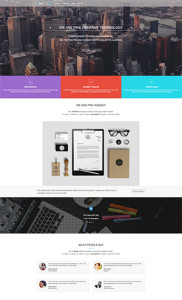
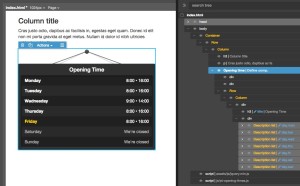
Opening Times - Free component & Tutorial
Plus, components have new & improved features:
- Choose if components are auto-updatable or not (check the tutorials for more)
- Nested component definitions are supported now
WordPress theme builder
Pinegrow provides a very efficient way to build professional WordPress themes and we’re continuing to improve the process.
Define multiple master pages with custom headers and footers
With Pinegrow 2.5 you can now have more than one header and footer template in your WordPress theme.
Set Define master page action to the top level of your HTML template and you will be able to customize everything that is on top and below the Site content element.
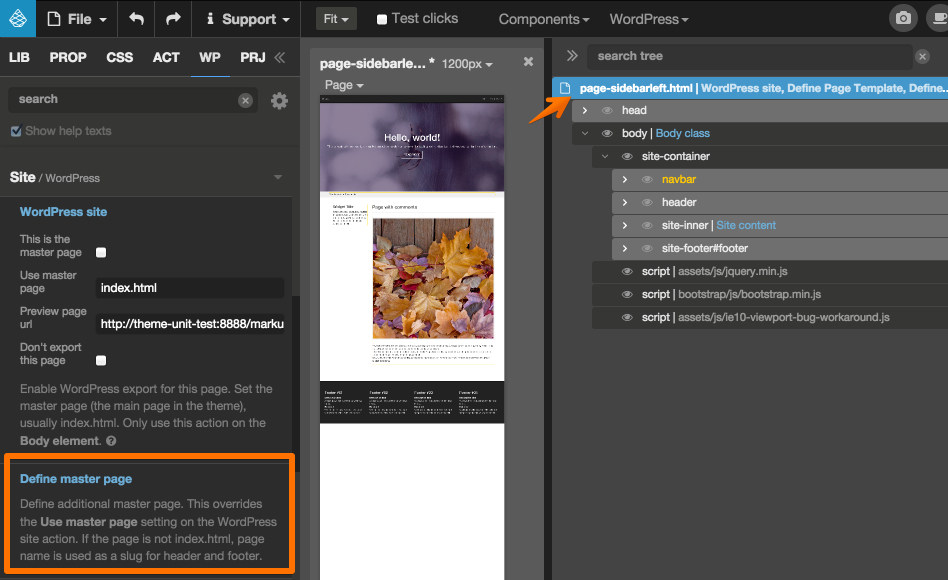
This action overrides the Use master page setting on the WordPress site action.
If the page is not index.html, page name is used as a slug for the header and footer.
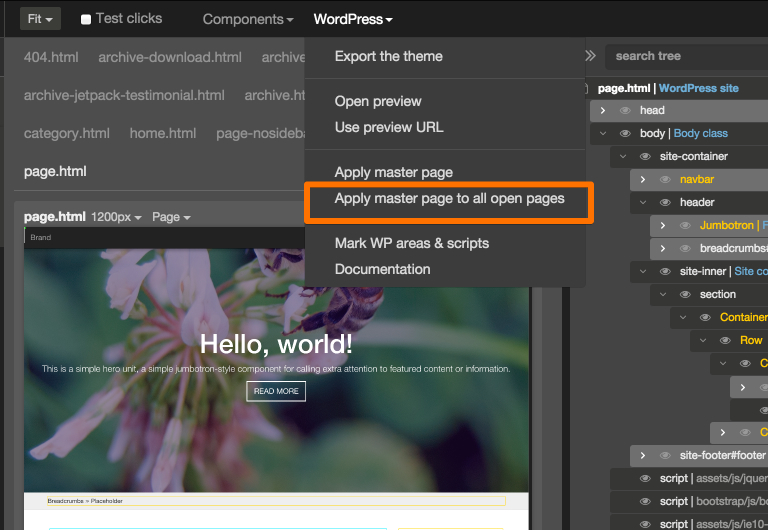
Apply master pages to all open files
A real time saver! You can now apply the master page settings to all the open files in Pinegrow editor.
It is very convenient if you proceed to some modifications to your master page HEADER and FOOTER and need to spread the modifications to all the other templates of the project.
Enclose multiple elements in conditional statements
By using the new action Add to previous if, you now can include any element into the if statement of the previous element.
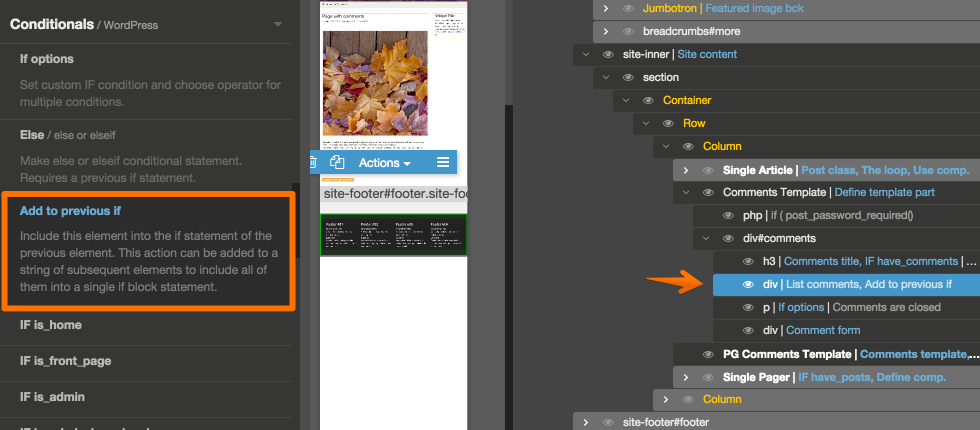
The action can also be added to a string of subsequent elements to include all of them into a single if block statement.
Create template parts with content of the element
In Define template part action, It is now possible to set a template part on a container (DIV for example) but using only its content.
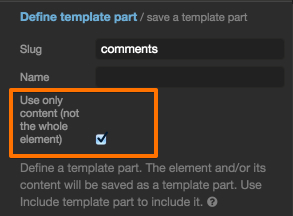
Here is an example of a full featured comments template which elements are in a DIV but the DIV is not included in the final template export, only its content:
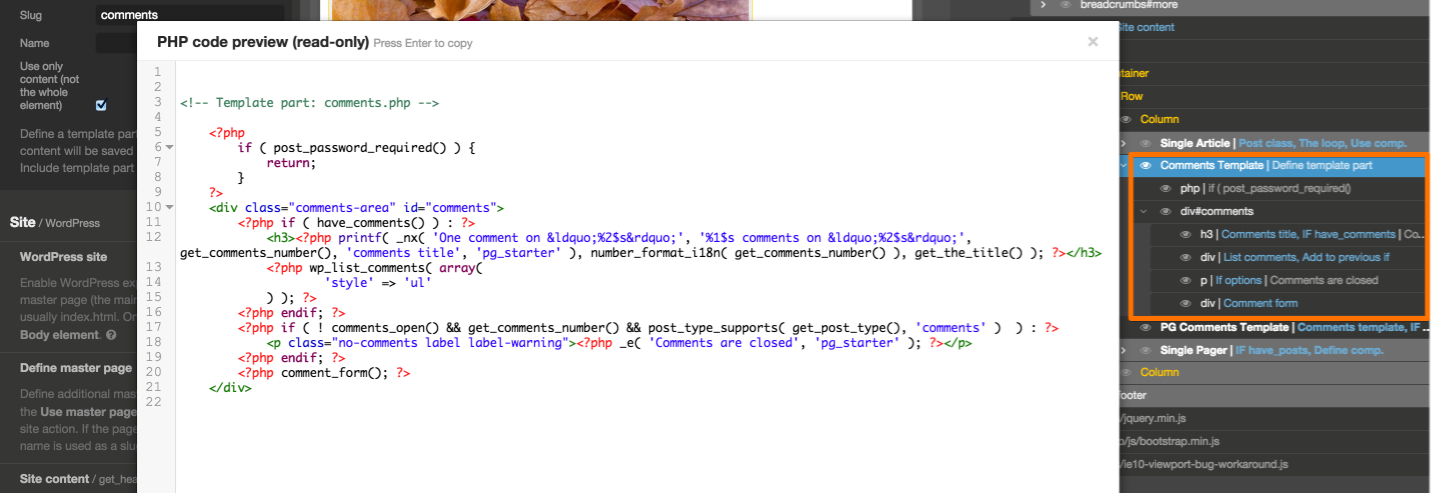
Read more about partial templates in our post about the comments template.
Organize theme files in subfolders
You can now create subdirectories in your theme folder and organize your templates files according to your needs.
The subfolders and their contents will be exported in your WordPress theme just like the other files located at the root of your project.
UI tool for Google fonts
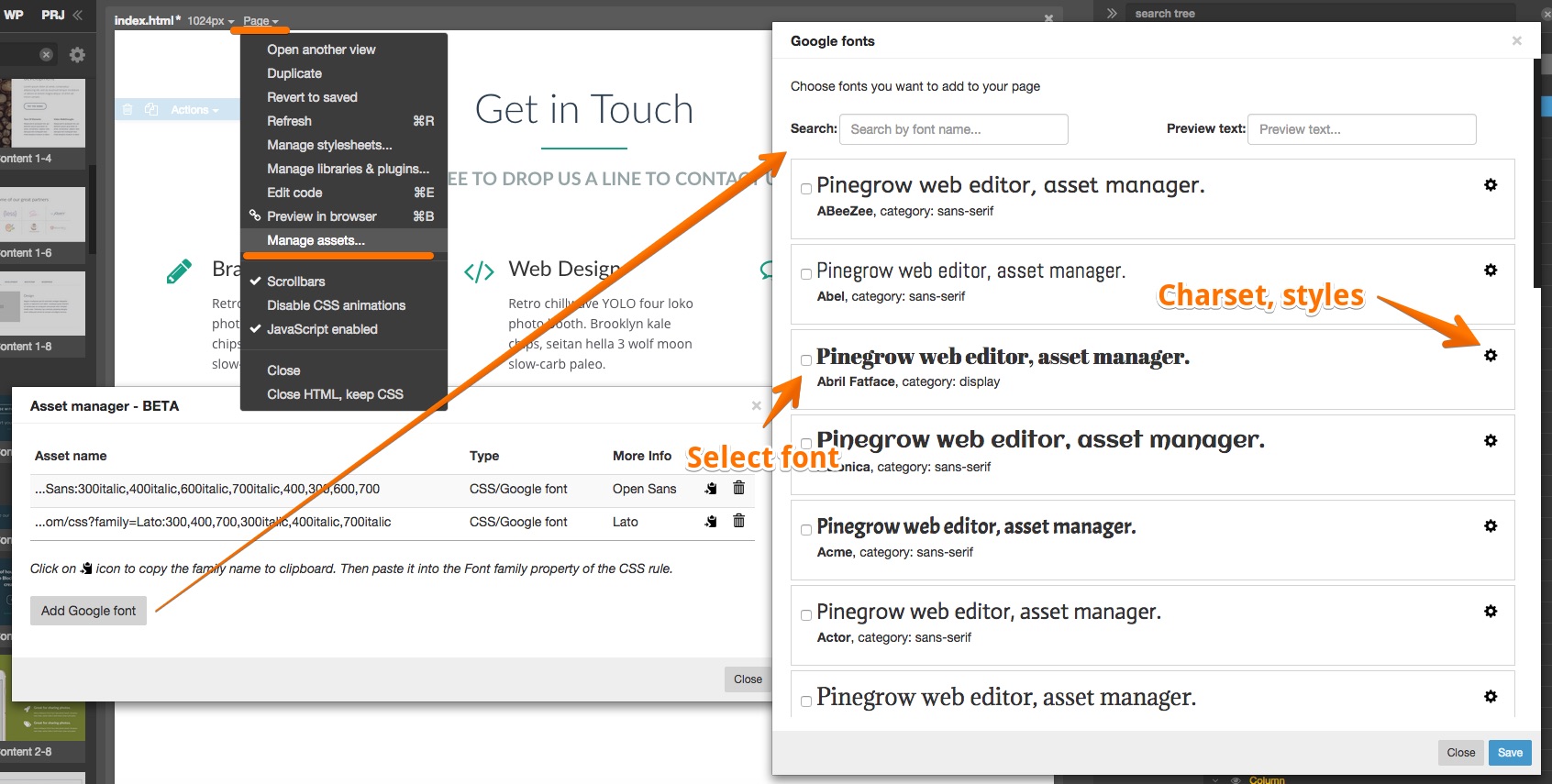
Easily browse and add Google Fonts to your projects - right within Pinegrow. Support for Google Fonts is a part of evolving Asset manager and is currently in Beta.
To manage Google Fonts open Page › Manage assets. From there you can search and add new fonts, select styles and charsets and get the font family name for use in CSS rules:
UI tweaks
Selecting an element inside a collapsed section will now select that element and open the collapsed section in the tree. Once the element is de-selected the section will close again. Before 2.5, clicking on any element within the collapsed section selected the whole section.
Page tabs have unsaved changes indicator. Finally!
Bug fixes
Among them, the issue with opening pages that contain other HTML documents in iframes and bugs with restoring window position and size.