
Insert special characters, exclude project folders and files, updated device presets and UI improvements.
Release notesRelease notesRelease notesRelease notes2020-02-03
Pinegrow Web Editor 5.93, February 3, 2020
Pinegrow Web Editor 5.93 is available for download.
Insert special characters
In text editing mode, click on the Star button to insert special character:
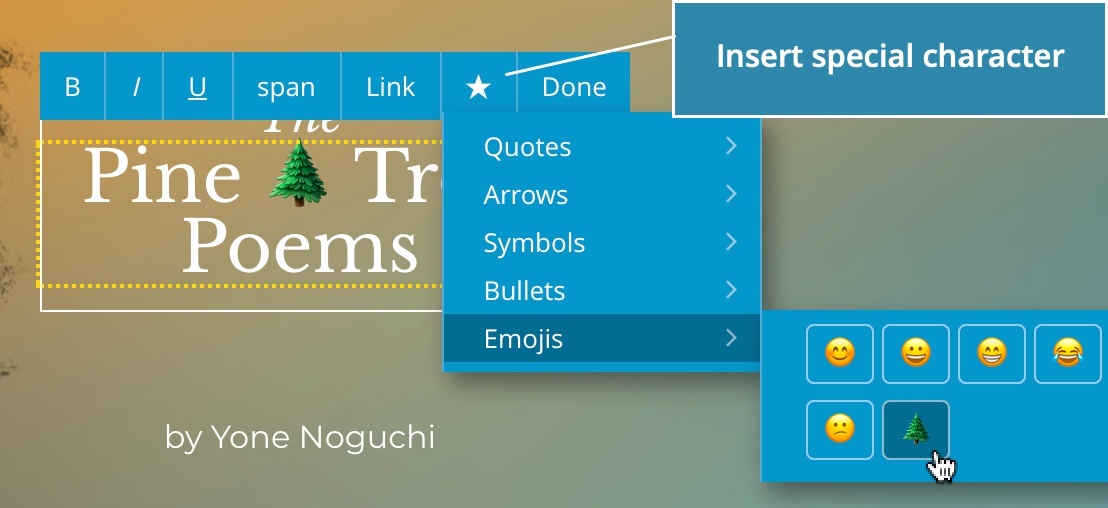
Let us know if you miss some commonly used characters and we’ll add them to the menu.
Exclude folders and files when scanning for components and master pages
Whenever a project is loaded, Pinegrow goes through all editable files and scans them for component definitions and master pages.
To exclude a folder or files from this process right-click on the folder/file and set “Scan for components & master pages” to “No”.
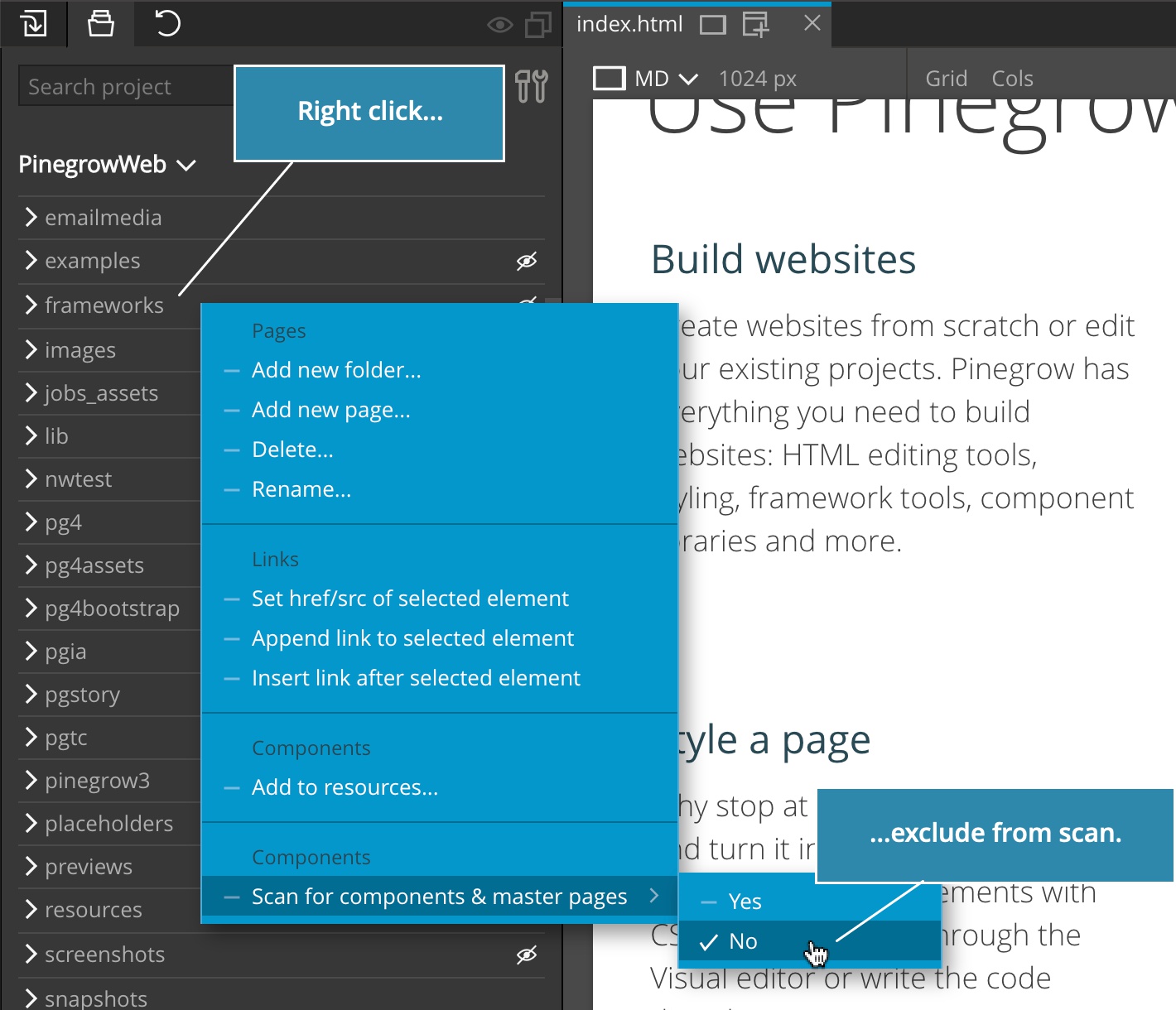
Doing this is useful in situations where:
- The project contains multiple copies of important files, for example created by backups, working copies, static CMS… Exclude such duplicate folders and files to avoid conflicts.
- Scanning the project takes a long time because the project contains lots of folders and files. Exclude files and folders that don’t contain any files with components and master pages.
Updated device presets
Page view device presets are now updated and located in their own submenu:
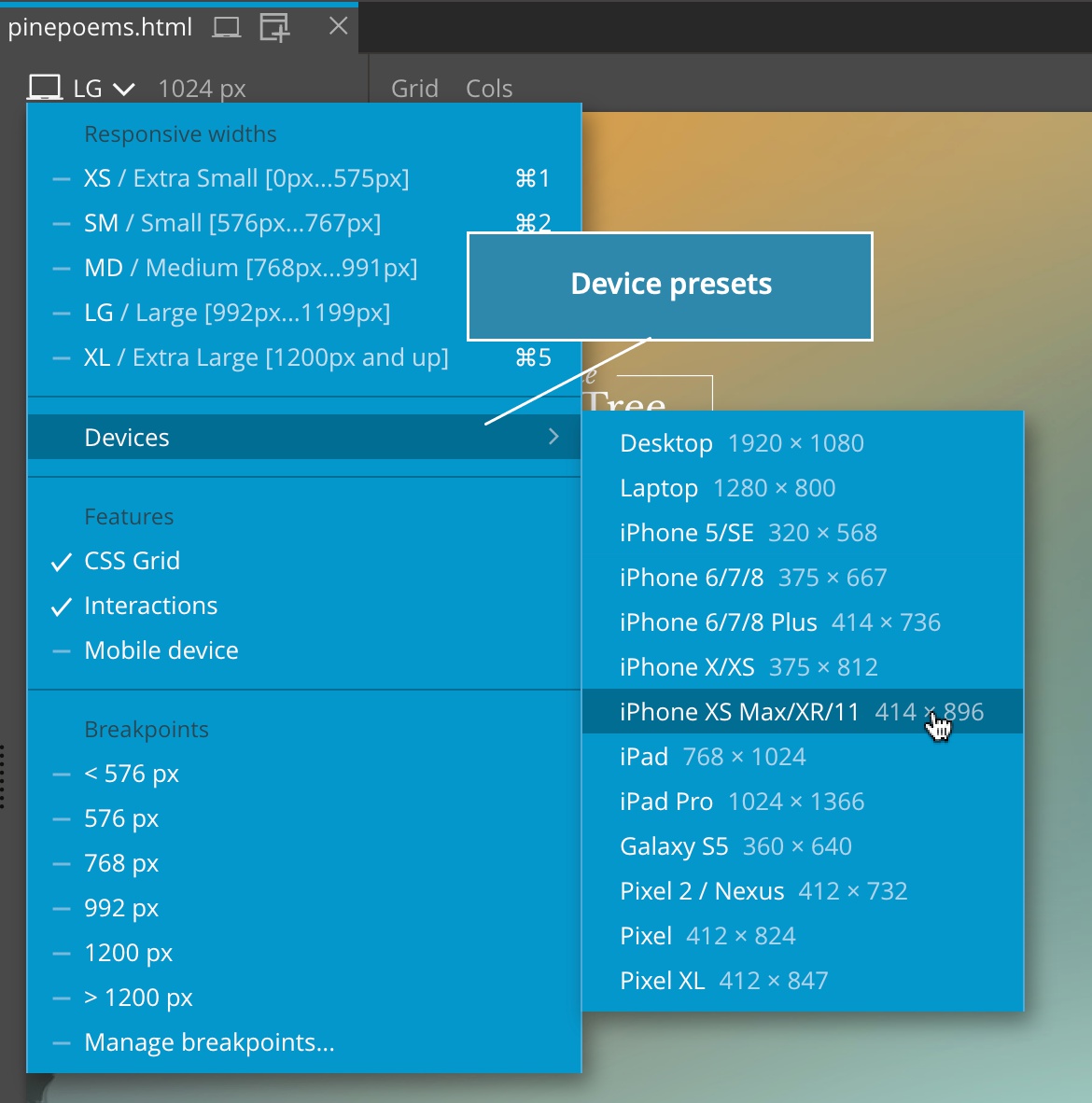
Let us know if you miss any relevant devices.
Notifications
We made notifications smaller and added the setting (in Support › Settings › Misc. settings) to disable showing informational quick messages (warnings and errors are still shown).

Bug fixes
This release includes important bug fixes, including solving issues that led to recent edits being lost when the page was saved.